Support our educational content for free when you buy through links on our site. Learn more
10 Digital Piano Brands with Built-In Lesson Modes 🎹

Digital Piano Brands with Built-in Lesson Modes include Alesis and Casio for specific onboard practice features, while Yamaha, Roland, and Kawai offer models that may support teacher-friendly splits or app-connected learning. The key is to check what “lesson mode” actually means: it might split the keyboard for a teacher and student, help you practice built-in songs, or connect the piano to a learning app.
We’ve seen beginners get excited about a keyboard’s “lesson” label, only to discover it plays demo songs rather than guiding practice. A quick check of the manual can reveal whether the feature matches your needs—and save you from buying a piano for the wrong kind of lesson.
Key Takeaways
- Alesis Recital Play offers a clear teacher-and-student Lesson Mode that splits the keyboard into matching pitch zones.
- Casio PX-770 is worth considering for built-in song practice and selected lesson functions.
- Yamaha, Roland, Kawai, and other brands offer learning-friendly features on some models, but availability varies by instrument.
- Lesson mode, teacher split, demo songs, and app connectivity are different features. Check the exact model’s specifications and manual.
- For piano study, prioritize comfortable keys, touch response, pedal support, and the right learning setup over a long list of extras.
Explore the instruments mentioned:
- Alesis Recital Play: Amazon | Alesis Official
- Casio PX-770: Amazon | Casio Official
- Yamaha P-145BT: Amazon | Yamaha Official
- Roland FP-10: Amazon | Roland Official
- Kawai ES60: Amazon | Kawai Official
Table of Contents
- ⚡ Quick Tips and Facts: Digital Pianos with Built-In Lessons
- 🎹 What Counts as a Built-In Piano Lesson Mode?
- Lesson mode, demo songs, and piano apps: What’s the difference?
- 📚 How Digital Piano Lesson Features Have Evolved
- 🏆 Best Digital Piano Brands with Built-In Lesson Modes
- 1. Yamaha: Duo mode and structured learning tools
- 2. Casio: Lesson functions, step-up learning, and app support
- 3. Roland: Twin Piano and connected learning
- 4. Kawai: Lesson songs and teacher-friendly practice features
- 5. Korg: Built-in practice tools and lesson-friendly controls
- 6. Alesis: Beginner lessons and bundled learning resources
- 7. Donner: Entry-level keyboards with guided learning features
- 8. The ONE: Interactive light-guided piano learning
- 9. Medeli: Practice modes and onboard teaching functions
- 10. Williams: Affordable digital pianos for first lessons
- 🔎 Find Your Piano in Two Taps
- Choose by learner, lesson style, and budget
- ✅ Best Built-In Lesson Modes: Quick Comparison
- 🧭 How to Choose a Digital Piano with Lesson Features
- Key action, touch sensitivity, and number of keys
- Built-in lesson songs, left/right-hand practice, and tempo control
- Bluetooth, USB MIDI, and piano learning apps
- Speakers, headphone practice, pedals, and portability
- What to prioritize for children, adults, and returning players
- 🎼 Built-In Lessons vs. Piano Learning Apps and Private Teachers
- 🧪 How We Evaluate Digital Piano Lesson Modes
- 🎹 Recommended Digital Piano Models for Guided Practice
- Yamaha P-145BT: Simple practice features in a portable piano
- Alesis Recital Pro: Beginner-friendly lesson tools and full-size keys
- Kawai ES60: Piano-focused practice for new players
- Roland FP-10: A strong piano feel with useful practice functions
- Korg B2: Straightforward piano practice at home
- Roland FP-30X: More sound and connectivity for growing players
- Casio Privia PX-S110: Slim design with app-connected learning
- 👧 Just Want a Keyboard to Try? Options for Kids and Tight Budgets
- 💡 Bonus Tips for Getting More from Piano Lesson Modes
- 🛠️ Setup and Troubleshooting for Built-In Piano Lessons
- 🎯 Still Not Sure? Our Quick Recommendation
- 🏁 Conclusion
- 🔗 Recommended Links
- ❓ FAQ
- Do digital pianos have built-in piano lessons?
- Which digital piano brand is best for beginners?
- What is the difference between lesson mode and Twin Piano mode?
- Can I learn piano using only a digital piano’s built-in lessons?
- Do I need an app or a subscription to use piano lesson features?
- Can a digital piano slow down songs or practice one hand at a time?
- Are 61-key keyboards suitable for piano lessons?
- Can headphones be used with built-in lesson modes?
- 📖 Reference Links
⚡ Quick Tips and Facts: Digital Pianos with Built-In Lessons
Quick answer: “Built-in lesson mode” can mean a genuine onboard teaching function, a teacher-friendly split, or simply an instrument that connects to piano-learning software. Those are useful features, but they are not interchangeable.
| If you want… | Look for… | Keep in mind |
|---|---|---|
| A teacher and student to play the same notes side by side | Lesson, Duo, or Twin Piano mode | The keyboard is usually split into two same-pitch ranges; this is not necessarily a step-by-step course |
| Built-in songs to practice one hand at a time | Lesson function with part selection and tempo control | Check which songs the feature works with |
| Guided lessons with on-screen feedback | A compatible app, computer, or tablet connection | App compatibility, subscriptions, and wireless features vary by model |
| Piano technique that transfers well to an acoustic piano | 88 weighted keys and touch response | A light, non-weighted keyboard may be fun and portable, but feels different |
| A beginner keyboard with a straightforward onboard feature | Alesis Recital Pro or Casio cabinet models such as the PX-770 | Confirm the exact model and feature list: names and specifications can differ across versions |
A useful distinction: the Alesis Recital Play has a keyboard-splitting Lesson Mode for teacher-and-student playing, while the Casio PX-770 offers built-in-song practice features, including separate-hand practice. Neither description means exactly the same thing.
When comparing instruments, we start with the playing experience, then inspect the learning tools. You can explore our guides to digital pianos and the broader piano buying guide. And if you’re weighing a digital instrument against an acoustic one, our guide to acoustic vs. digital piano brands is a useful first stop.
Fast checks before you buy:
- ✅ Confirm whether the feature is a true lesson function, a teacher split, or app connectivity.
- ✅ Look for a metronome, adjustable tempo, and a way to practice individual hands if guided practice matters to you.
- ✅ Check whether the piano requires a cable, Bluetooth adapter, or paid app.
- ❌ Don’t assume every piano from the same brand has the same lesson features.
- ❌ Don’t confuse demo songs with interactive lessons. A piano that plays songs for you may not teach you how to play them.
One of the biggest sources of confusion is that “lesson mode” can describe two very different teaching situations. We’ll separate them shortly.
🎹 What Counts as a Built-In Piano Lesson Mode?
A piano’s built-in learning feature may be a practice aid, a teacher-and-student split, or a song-based lesson function. Some instruments also rely on an app for structured instruction. We recommend asking one practical question: What will this piano actually help you do during a practice session?
Lesson mode, demo songs, and piano apps: What’s the difference?
| Feature | What it does | Example of how it helps | Does it teach by itself? |
|---|---|---|---|
| Lesson function | Lets you practice a song or part, often with tempo or hand selection | Slow a piece down and practice the left hand | Sometimes, but usually only for selected songs |
| Teacher split / Duo / Twin Piano | Divides the keyboard into two playable zones | Student and teacher play the same register at once | No; it supports instruction rather than providing a course |
| Demo songs | Plays a preset performance | Hear a sample of the instrument or a song | No |
| Metronome | Provides a steady beat | Practice rhythm and timing | No |
| Learning app connection | Sends or receives performance information through a device | Follow guided lessons or receive feedback | The app provides the course; the piano is the instrument |
| Bundled learning access | Offers access to third-party learning content | Start guided lessons after connecting a computer or tablet | Often, but trial terms and ongoing access vary |
For example, Alesis describes Recital Play’s Lesson Mode as splitting the keyboard into two zones with the same pitch and voice, so a student and instructor can play together. That’s handy in a lesson, but it is not the same as software that listens to your notes and guides you through a curriculum. See the official Recital Play details.
Casio’s PX-770 takes a different approach: it includes a song library and lesson functions for practicing parts separately. The official PX-770 page is the best place to verify the exact features for the model and market you’re considering.
Our rule: If a seller says “lesson mode,” look for the manual and confirm the function. The label alone doesn’t tell you whether you’ll get a structured course, a song library, a split keyboard, or merely a metronome.
📚 How Digital Piano Lesson Features Have Evolved
The early idea of a digital piano lesson tool was simple: put a few practice songs and controls inside the instrument. Newer learning setups can combine onboard songs, MIDI connections, Bluetooth, and apps on a phone or tablet. The piano may remain the same; the lesson experience can change depending on the software you pair with it.
That distinction matters. A model with no built-in curriculum may still work well with a learning app if it can send MIDI data over USB or Bluetooth. Conversely, a piano with built-in demonstration songs may offer note-by-note coaching at all.
| Learning generation | Typical tools | What the player gets |
|---|---|---|
| Onboard practice | Metronome, demo songs, lesson songs | Practice without a second device |
| Teacher-friendly split | Duo, Twin Piano, Lesson Mode | Two people can play in matching registers |
| Computer-connected practice | USB-MIDI | Compatibility with supported software |
| Wireless or app-based learning | Bluetooth MIDI, brand apps, third-party apps | Convenient guided practice, when compatible |
| Hybrid approach | Piano features plus external course | A mix of built-in practice and structured instruction |
Digital instruments also cover a wider range of formats, from portable stage-style pianos to full furniture cabinets and hybrid instruments. The Yamaha overview video linked at #featured-video presents this breadth across Yamaha’s P Series, Piaggero, stage pianos, DGX, Arius, and hybrid models. That range is a useful reminder: a piano’s series and intended use matter as much as its logo.
For further context, browse our piano history articles and piano brand guides.
🏆 Best Digital Piano Brands with Built-In Lesson Modes
There isn’t one universal winner. Some brands focus onboard practice functions, while others emphasize key feel and app connectivity. The table below is a starting point, not a substitute for checking the manual for the exact model.
| Brand | Lesson-related strengths | Typical format | Best suited to |
|---|---|---|---|
| Yamaha | Duo features on selected models; app and device connectivity varies | Portable, home, stage, hybrid | Players who value broad model choice and familiar piano sounds |
| Casio | Lesson-song practice and teacher-friendly functions on selected models | Portable and furniture-style | Learners who want onboard song practice |
| Roland | Twin Piano on selected models; strong app and MIDI possibilities | Portable and home | Players who prioritize key action and piano performance |
| Kawai | Practice features and app compatibility vary by model | Portable and home | Players focused on piano touch and sound |
| Korg | Practice and connectivity features differ across models | Portable and stage-oriented | Players who want straightforward performance tools |
| Alesis | Lesson Mode on selected keyboards; bundled learning resources on some packages | Portable, entry-level | New players and households sharing an instrument |
| Doner | Features vary by model; check its manual and app compatibility | Portable and entry-level | Buyers comparing compact starter setups |
| The ONE | Light-guided and app-based learning on selected products | Smart piano and keyboard products | Learners who like visual guidance |
| Medeli | Onboard functions vary by model and region | Portable and home | Buyers assessing feature-rich entry-level options |
| Williams | Lesson and connectivity features depend on the model | Portable and home | New players seeking simple, accessible instruments |
Important: We do not treat a brand’s app compatibility as proof that every piano in its catalog has a built-in lesson mode. When in doubt, download the model’s manual and check for terms such as Lesson, Duo, Twin Piano, Part Select, Song, and Bluetooth MIDI.
1. Yamaha: Duo mode and structured learning tools
Yamaha’s catalog spans compact Piaggero keyboards, portable P-series digital pianos, Arius home instruments, and performance-oriented stage models. The brand’s digital piano range, specific model manuals, and app documentation are the places to confirm which learning functions apply to a particular instrument.
What to look for:
- Duo mode on selected models, which supports teacher-and-student practice by dividing the keyboard into matching registers.
- A compatible connection to Yamaha apps or other learning software, depending on the instrument and device.
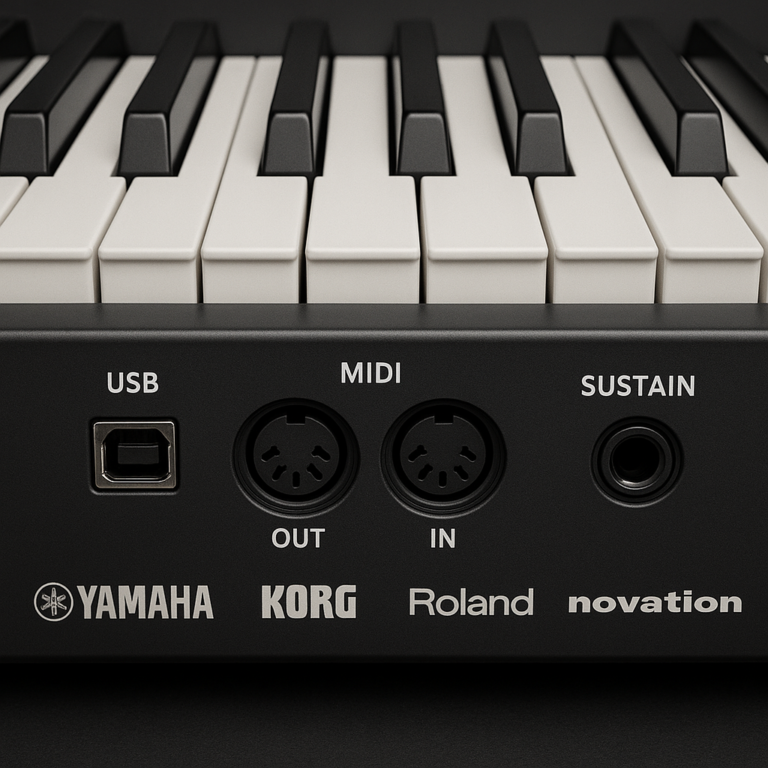
- The right kind of connection: USB-MIDI, Bluetooth MIDI, and Bluetooth audio are different functions.
Yamaha is a sensible choice if you want a large family of options and plan to compare portable and furniture-style models. Its breadth can also be a trap: a feature present one model may be absent on another. Read the model page, not just the brand brochure.
The Yamaha lineup overview at #featured-video also makes a useful distinction between portable P-series pianos, light Piaggero keyboards, Arius home pianos, and stage instruments. That context helps explain why a beginner searching “Yamaha lesson mode” may find very different answers depending on the product series.
2. Casio: Lesson functions, step-up learning, and app support
Casio is worth a close look if you want onboard song practice rather than only a teacher split. On selected models, the lesson function allows players to work through built-in music and practice parts separately. Features vary by model, so check the relevant Casio piano product pages and manuals.
The furniture-style PX-770 is a notable example discussed independent reviews: it has lesson-song functionality and a built-in song library, while its Duet Play function supports two-player practice. That makes it more lesson-oriented than a basic piano with only a metronome, though it still isn’t a replacement for a teacher or full course.
Why Casio can suit a home learner:
- Built-in songs provide material to practice without opening an app.
- Selected models support separate-hand practice and tempo adjustment.
- Cabinet models can include a stand and pedal unit in an integrated home setup.
Watch for model differences: Casio’s model families can include several instruments with similar names but different specifications. Confirm the full model number, market version, and manual before making your shortlist.
3. Roland: Twin Piano and connected learning
Roland is often chosen for its keyboard action and piano-focused playing experience. Selected instruments include Twin Piano or similar teacher-friendly functionality, and many models support app connections through USB or Bluetooth MIDI. Consult the official Roland piano range and the manual for the model you’re considering.
A useful distinction from our bench: Bluetooth audio lets a piano receive or play sound; Bluetooth MIDI sends note and performance information. An instrument can have one without the other. For interactive learning apps, MIDI is generally the function to check because the software needs to know which notes you play.
If your priorities are piano technique and a responsive key action, Roland belongs on the shortlist. If your top priority is an extensive built-in song curriculum, compare the model’s lesson tools carefully against Casio’s song-based features.
4. Kawai: Lesson songs and teacher-friendly practice features
Kawai’s portable and home pianos are popular with players who want a piano-centered sound and touch. Learning tools and wireless connectivity differ by product, so consult the Kawai piano catalog and the exact model manual rather than assuming every instrument includes the same lesson functions.
For a teacher-led setup, look for a keyboard split or duet function. For app-led instruction, verify USB-MIDI support and whether your device requires a specific cable or adapter. The Kawai ES60 is one portable option learners may compare, but its learning workflow depends on the compatible device and software you choose.
Our practical advice: judge Kawai first as an instrument you’ll want to practice on, then evaluate its learning connections. A satisfying key action can make a longer practice session much more inviting than a flashy feature you rarely use.
5. Korg: Built-in practice tools and lesson-friendly controls
Korg offers a wide range of keyboards and digital pianos, but lesson functions are model-specific. The Korg product catalog and downloadable manuals can confirm whether a particular model includes a metronome, song practice, MIDI recording, or app connectivity.
The Korg B2 and its related products are often considered by learners seeking a straightforward portable piano. Before purchasing any model in that family, confirm current availability and whether the exact version includes the connection and software support you want. A product name can remain familiar long after its regional lineup has changed.
Best practice: write down the one learning feature you need most—hand-selectable songs, teacher split, or app feedback—and check for that feature by name in the manual.
6. Alesis: Beginner lessons and bundled learning resources
Alesis stands out in this conversation because some models explicitly use the name Lesson Mode. On the Recital Play, Lesson Mode divides the 88-key keyboard into two same-pitch zones so a teacher and student can play together. That’s a practical feature for in-person instruction and family practice.
The Recital Play product page also lists a metronome, demo songs, recording, USB-MIDI, and access to learning resources. Bundled offers and trial terms can change, so verify them on the official product page before counting them as part of your long-term learning setup.
The Alesis Recital Pro is another model frequently mentioned in beginner-piano comparisons for its onboard Lesson Mode. A competitor calls the original Recital Pro “the best cheap digital piano that doesn’t feel like a toy,” while also noting that its key feel and sound may not impress players comparing it with higher-end Yamaha or Roland instruments. That’s a useful perspective, but it refers to the original model; compare the specifications of the precise version you’re shopping for.
Alesis strengths:
- ✅ Lesson-style keyboard splitting on selected instruments.
- ✅ Multiple voices and practical beginner features on certain models.
- ✅ USB-MIDI for compatible learning software.
Trade-offs to consider:
- ❌ Some models use non-weighted keys; this feels different from a traditional piano action.
- ❌ An included course or trial is not the same as permanent access to a full curriculum.
- ❌ Compare current versions carefully, as specifications can change between generations.
7. Donner: Entry-level keyboards with guided learning features
Doner sells entry-level keyboards and digital pianos that may appeal to first-time buyers. However, its lesson-related features are not uniform across models. Start with the relevant product listing and manual from Doner, then confirm key count, key action, USB-MIDI support, and whether the advertised learning function is onboard or app-based.
We’d treat any “learning keyboard” label as a prompt for further questions:
- Does the keyboard guide you through notes, or only play demo songs?
- Is a phone or tablet required?
- Is the app free, subscription-based, or trial-based?
- Are the keys weighted, semi-weighted, or unweighted?
That short checklist can prevent a shiny starter bundle from becoming a very handsome paperweight.
8. The ONE: Interactive light-guided piano learning
The ONE’s smart-piano products are designed around visual and app-supported instruction. Depending on the model, light guidance and software may help a learner follow notes on the keyboard. Check the current The ONE product range for supported devices, app availability, and the exact learning features.
Light guidance can be motivating for a learner who enjoys immediate visual cues. It also has a limitation: following lights is not the same as reading notation or understanding rhythm. We recommend using visual guidance as a bridge, not as the whole musical journey.
9. Medeli: Practice modes and onboard teaching functions
Medeli manufactures a broad range of electronic instruments, and lesson tools depend on the specific product. Check the Medeli product catalog and manual for the model’s lesson function, onboard songs, split mode, MIDI support, and app compatibility.
When comparing a Medeli instrument with a more familiar brand, focus on verifiable features and playing feel rather than brand name alone. Try the keys if possible, check for a sustain-pedal connection, and make sure the device you plan to use for lessons can connect properly.
10. Williams: Affordable digital pianos for first lessons
Williams instruments are aimed at accessible home playing, but lesson-related features vary by product. Browse the Williams piano range and confirm whether the model offers an actual Lesson or Duo mode, or simply provides basic practice functions and external connectivity.
For families buying a first piano, we suggest prioritizing full-size keys, comfortable touch response, a stable stand, headphone output, and a pedal input. A special mode is useful only if the instrument feels comfortable enough that the learner wants to sit down again tomorrow.
🔎 Find Your Piano in Two Taps
Use these two questions to build a sensible shortlist. The goal isn’t to choose a logo first; it’s to identify the learning setup you’ll actually use.
Choose by learner, lesson style, and budget
Tap 1: Who is learning, and how?
- Teacher and student sharing one keyboard: Look for Lesson, Duo, or Twin Piano mode. Check that both zones use the same pitch range if that’s important for your lessons.
- Solo learner practicing built-in songs: Look for song libraries, hand selection, and adjustable tempo.
- Learner following an app: Confirm USB-MIDI or Bluetooth MIDI compatibility with your phone, tablet, or computer.
- Child exploring sounds and songs: A lighter keyboard and broad sound selection may be more inviting, but consider whether weighted keys matter for the intended lessons.
Tap 2: What playing feel and setup do you need?
| Your priority | Start your search with | Double-check |
|---|---|---|
| Traditional piano technique | 88 weighted keys | Key action and pedal support |
| Easy teacher-student practice | A model with Duo, Twin Piano, or Lesson split | Split-zone pitch and controls |
| Guided digital lessons | USB-MIDI or Bluetooth MIDI | App and operating-system compatibility |
| Built-in song practice | Selected Casio or other models with lesson-song functions | Hand selection, song list, tempo control |
| Travel and compact storage | Portable keyboard or digital piano | Key action, power options, pedal input |
We recommend keeping the shortlist to three models: one with the lesson feature you want, one with the best-feling keys you can comfortably afford, and one that balances both. That gives you a fair comparison without turning the living room into a keyboard showroom.
✅ Best Built-In Lesson Modes: Quick Comparison
The most important comparison is not “Which has the most buttons?” It’s “Which one matches the way I want to learn?”
| Example/model | Onboard learning angle | Teacher split? | App or MIDI angle | Best fit |
|---|---|---|---|---|
| Alesis Recital Play | Lesson Mode, demo material, metronome, and bundled learning access | Yes | USB-MIDI | Teacher-and-student practice and beginner exploration |
| Alesis Recital Pro | Lesson Mode on the relevant model version | Check manual | USB-MIDI on listed versions | Beginners wanting an onboard practice function |
| Casio PX-770 | Built-in song practice and lesson functions | Duet Play | USB connection; app support depends on setup | Home learners wanting built-in songs |
| Yamaha P-145BT | Practice setup depends on the connected app and exact model | Verify model manual | USB and Bluetooth audio features vary by model | Learners seeking a portable 88-key piano |
| Roland FP-10 | Practice through compatible software and piano functions | Verify model manual | Bluetooth MIDI and USB on supported configurations | Players prioritizing key action and app connection |
| Roland FP-30X | App-connected practice and onboard functions | Check feature list | Bluetooth and USB functions | Growing players wanting more connectivity |
| Kawai ES60 | Practice features depend on model and software | Verify manual | USB-MIDI; check exact connectivity | Piano-focused learners comparing portable models |
| Casio Privia PX-S110 | App-supported learning and practice setup | Check manual | Wireless adapter and app details vary | Compact home setups |
How to read the table: The table distinguishes an onboard function from a connected learning workflow. A piano can be excellent for lessons without containing a complete curriculum inside the instrument.
A competitor’s beginner-piano comparison emphasizes 88 weighted keys and app connectivity, arguing that app access makes practice more engaging. We agree that connectivity can help, but it does not automatically mean a piano has built-in lessons. For onboard song practice, a model like the PX-770 may be more directly relevant; for teacher-led splitting, Recital Play’s Lesson Mode has a clearer purpose.
🧭 How to Choose a Digital Piano with Lesson Features
Start with the learner’s needs, not the longest feature list. A helpful piano should make regular practice easier, support the right technique, and fit the room where it will live.
Key action, touch sensitivity, and number of keys
For piano study, 88 keys and a weighted hammer-action keyboard are usually the strongest foundation. Weighted keys more closely resemble the resistance and response of an acoustic piano, though actions differ substantially across manufacturers.
| Keyboard type | Advantages | Trade-offs |
|---|---|---|
| Unweighted | Light, portable, often approachable for casual playing | Less like acoustic-piano touch |
| Semi-weighted | A middle ground in feel and portability | May not provide the same resistance as hammer action |
| Weighted hammer action | Supports piano-style technique and full-range repertoire | Heavier and often less compact |
Touch sensitivity is also worth checking. It lets the sound respond to how firmly you play, supporting dynamic control. For guidance on choosing an instrument that fits your goals, see our piano buying guide and digital piano category.
Try this in person if possible: Play a quiet note, then a louder one. If both notes sound almost identical, the keyboard may not respond in the way you want for expressive practice.
Built-in lesson songs, left/right-hand practice, and tempo control
A useful lesson-song function should explain what it can control. Look for:
- Part selection: Can you isolate the left hand, right hand, or one part of a duet?
- Tempo control: Can you slow down a song without changing its pitch?
- Repeat or section practice: Can you replay a difficult passage?
- Metronome: Can you keep a steady pulse while practicing?
- Song source: Are the songs stored onboard, loaded by USB, or supplied through an app?
A piano with 60 songs is not automatically better for learning than one with 10. The question is whether the music is useful to you and whether the controls let you practice it effectively.
Step-by-step practice example:
- Choose a short built-in song or assigned piece.
- Listen once at a comfortable tempo.
- Practice one hand alone if the instrument supports it.
- Reduce the tempo until you can play without rushing.
- Add the other hand only when the first part feels reliable.
- Use the metronome to check timing, then play without it to listen musically.
That’s a much more productive loop than repeatedly restarting the full song and hoping the tricky measure suddenly behaves.
Bluetooth, USB MIDI, and piano learning apps
MIDI and audio are not the same. MIDI communicates musical information such as notes and timing; audio carries sound. A piano can stream audio from a phone without sending your played notes to a learning app.
| Connection | Typical use | What to confirm |
|---|---|---|
| USB-MIDI | Connect piano to computer, tablet, or phone | Cable, adapter, and device compatibility |
| Bluetooth MIDI | Wireless note data for supported apps | The piano and app must both support it |
| Bluetooth audio | Play audio from a phone through the instrument, where supported | It may not send note information to an app |
| USB audio | Send or receive sound digitally on supported models | Driver and recording compatibility |
A competitor’s comparison recommends USB-MIDI as a minimum for connecting a piano to apps such as Simply Piano or Flowkey. That’s a practical starting point, but compatibility changes by device and app, so check the current app requirements before buying. See the respective official resources for Simply Piano and flowkey.
Before purchasing, follow this sequence:
- Identify the app you plan to use.
- Check the app’s current device and connection requirements.
- Check the piano manual for MIDI support.
- Confirm whether your phone or tablet needs a USB adapter.
- Test the connection if you can; a five-minute test beats an hour of cable archaeology.
Speakers, headphone practice, pedals, and portability
A learning-friendly setup is more than lesson software. If the piano is uncomfortable, noisy, or awkward to use, practice becomes a chore.
- Headphone output: Useful for shared homes and late practice. Confirm the connector type.
- Sustain pedal input: Essential for developing piano phrasing. Check whether a pedal is included and whether the piano supports a more substantial pedal unit.
- Speakers: Useful for casual practice, but compare clarity and volume if the instrument will fill a room.
- Stand and bench: A stable setup helps maintain comfortable posture.
- Portability: A portable model is easier to move, but may require a separate stand, pedal, and music rest.
For teacher sessions, the two headphone jacks found on some home pianos can help student and teacher listen privately. On portable instruments, the right accessories may need to be purchased separately. Compare the whole setup, not only the keyboard.
What to prioritize for children, adults, and returning players
| Learner | Helpful priorities | What to avoid overlooking |
|---|---|---|
| Young beginner | Clear controls, sturdy stand, headphone option, encouraging sounds | A keyboard so small the child quickly outgrows it |
| Adult beginner | Comfortable key action, easy setup, quiet practice | Buying features that feel fun once but complicate every session |
| Student with a teacher | Twin/Duo/Lesson split, pedal support, stable placement | Assuming every “lesson mode” supports the teacher’s method |
| Returning player | 88 weighted keys, adjustable touch, MIDI or app access | Choosing solely by speaker count or sound-library size |
| Household with multiple learners | Shared profiles or easy setup, headphones, teacher split | Whether the keyboard stores settings between users |
We’ve seen beginners make excellent progress on simple instruments, and we’ve seen expensive keyboards gather dust. The best fit is the one that makes it easy to begin a practice session and rewarding to stay with it.
🎼 Built-In Lessons vs. Piano Learning Apps and Private Teachers
Each approach solves a different problem.
| Learning method | Strengths | Limitations |
|---|---|---|
| Built-in piano lesson features | Convenient, available without a separate device, often easy to repeat | May offer a limited song selection and little theory instruction |
| Learning app | Visual guidance, structured courses, progress feedback on supported setups | Requires a compatible device; subscription or trial terms may apply |
| Private teacher | Personalized feedback on posture, rhythm, technique, and musical interpretation | Requires scheduling and access to an instructor |
| Books and sheet music | Encourages reading, self-paced repetition, and long-term reference | Less immediate feedback when you get stuck |
| Combined approach | Pairs regular guidance with flexible daily practice | Requires a little planning |
Our most confident recommendation for many beginners is a combination: a piano that feels comfortable, a structured method, and occasional feedback from a qualified teacher when possible. Built-in lessons can make practice convenient, but they rarely diagnose hand tension or explain why a musical phrase should breathe.
🧪 How We Evaluate Digital Piano Lesson Modes
We separate instrument quality from learning convenience. A feature can be clever without being useful, and a piano can be musically satisfying without teaching you how to play.
| Evaluation area | What we check |
|---|---|
| Feature clarity | Is the function a lesson, a teacher split, a song player, or app support? |
| Practical usefulness | Does it help with repeat practice, tempo, parts, or feedback? |
| Key feel | Does the action suit the learner’s goals and intended repertoire? |
| Connectivity | Are USB-MIDI, Bluetooth MIDI, audio, and app support described accurately? |
| Setup burden | Are cables, adapters, subscriptions, or extra devices required? |
| Model accuracy | Do the manual and official product page match the exact version? |
| Home usability | Are speakers, headphones, pedal, stand, and controls practical? |
| Growth potential | Can the piano remain useful as the learner advances? |
We also compare manufacturer documentation with independent reviews. Competitor summaries are useful for spotting common buyer concerns, but specifications should be verified against the current official model page and manual. That matters especially when a model has multiple versions, regional names, or a newer replacement.
🎹 Recommended Digital Piano Models for Guided Practice
The models below illustrate different learning approaches. They are not all pianos with a built-in course. Some are better thought of as instruments that connect to external learning tools.
Yamaha P-145BT: Simple practice features in a portable piano
The Yamaha P-145BT is a portable 88-key digital piano for players who want a compact instrument from Yamaha’s P series. Check Yamaha’s official P-145BT page for current specifications and compatibility.
Why consider it:
- Portable format suited to home practice or a small performance setup.
- A full keyboard range for piano repertoire.
- Yamaha app and connectivity possibilities vary by configuration; verify the exact model and device requirements.
Potential drawbacks:
- It may not provide the kind of built-in, step-by-step course a beginner expects from the phrase “lesson mode.”
- Features such as Bluetooth audio should not be mistaken for Bluetooth MIDI.
- As with any compact portable piano, compare the key action and speaker performance in person if possible.
A competing beginner-piano roundup describes the P-145BT as an all-around option but notes that its speakers are modest. That assessment is useful as a listening prompt, not a universal verdict: room size, playing volume, and headphone use all change the experience.
👉 CHECK PRICE on:
- Yamaha P-145BT: Amazon | Sweetwater | Yamaha Official Website
Alesis Recital Pro: Beginner-friendly lesson tools and full-size keys
The Alesis Recital Pro is a portable 88-key instrument often considered by beginners who want onboard functions without moving straight to a furniture-style piano. Confirm the exact version’s action, polyphony, voices, and connections from the current product page and manual.
A competing review describes the original Recital Pro as “the best cheap digital piano that doesn’t feel like a toy.” The same review says its key feel is less refined than Yamaha or Roland alternatives and its sound is serviceable rather than spectacular. Both perspectives can be true: a beginner may value the feature set and accessible setup, while a more experienced pianist may notice the action and sound differences immediately.
What it offers learners:
- A Lesson Mode on the relevant model version.
- Full-size 88-key layout.
- Split and layer functions on listed versions.
- USB-MIDI support for compatible learning software.
What to consider:
- Confirm whether the specific version uses weighted or non-weighted keys.
- Verify current specifications, as model generations can differ.
- A keyboard-splitting lesson function supports a teacher but does not replace a structured course.
👉 CHECK PRICE on:
- Alesis Recital Pro: Amazon | Musician’s Friend | Alesis Official Website
Kawai ES60: Piano-focused practice for new players
The Kawai ES60 is a portable digital piano worth comparing if you want a piano-focused instrument rather than a keyboard packed with accompaniment features. See Kawai’s official ES60 page for specifications and support details.
Potential strengths:
- Portable format for a home setup.
- A piano-oriented playing experience.
- A practical option to compare alongside Yamaha and Roland portable instruments.
Questions to answer before buying:
- Does your preferred lesson app work with the ES60 and your device?
- Which cable or adapter will you need?
- Does the model offer the particular split or onboard song function your teacher recommends?
A competitor comparison notes USB-MIDI support for app use and no Bluetooth on the compared ES60 configuration. Because connectivity can vary by region or revision, verify the current manual rather than relying on a generic listing.
👉 CHECK PRICE on:
- Kawai ES60: Amazon | Sweetwater | Kawai Official Website
Roland FP-10: A strong piano feel with useful practice functions
Roland’s FP-10 is a portable digital piano aimed at players who want a substantial piano feel in a compact format. Roland’s FP-10 product page provides the current details.
Why it may suit learners:
- 88-key layout for piano repertoire.
- App connectivity on supported setups.
- A more piano-focused design than a general-purpose arranger keyboard.
Potential trade-offs:
- A connected app supplies the lesson curriculum; the piano’s connectivity alone does not create one.
- Bluetooth MIDI and Bluetooth audio are different. Verify the function you need.
- A compact piano may require separate stand and pedal purchases.
A competing comparison praises the FP-10’s key feel and notes Bluetooth MIDI but no Bluetooth audio in the configuration reviewed. That is precisely why feature-by-feature checking matters: an app can use MIDI while a streaming lesson needs a separate audio path.
👉 CHECK PRICE on:
- Roland FP-10: Amazon | Sweetwater | Roland Official Website
Korg B2: Straightforward piano practice at home
The Korg B2 is a simple portable digital piano, though availability and model versions can vary. Check the Korg product catalog for current products and successor models before shopping.
A competitor’s comparison describes the B2 as offering USB connectivity and access to Korg software, while noting it lacks Bluetooth on the reviewed configuration. That makes it a potentially useful app-connected piano, but not necessarily a piano with a built-in lesson curriculum.
Before choosing it:
- Confirm that the exact B2 model is available and supported in your region.
- Check whether the bundled software or trial is still offered.
- Verify the connection method for your computer or tablet.
- Compare any successor model, including the B2+, on current specifications rather than assuming features are identical.
👉 CHECK PRICE on:
- Korg B2: Amazon | Musician’s Friend | Korg Official Website
Roland FP-30X: More sound and connectivity for growing players
The Roland FP-30X is a step-up portable option for learners who want more room to grow. See the official Roland FP-30X page for current features and connectivity.
Why it may earn its place on a shortlist:
- App connectivity for supported learning setups.
- A broader feature set than a minimal practice piano.
- Portable design that can work for lessons, home practice, or small performances.
Things to verify:
- Exact wireless MIDI and audio capabilities.
- Whether your favorite app supports the connection you plan to use.
- Whether you’ll use its extra sounds and features enough to justify choosing it over a simpler piano.
A competitor calls the FP-30X a “best for growth” choice, citing its connectivity and higher specification ceiling. That’s a sensible perspective for a learner planning to continue, but extra features are only valuable if they support your actual practice.
👉 CHECK PRICE on:
- Roland FP-30X: Amazon | Sweetwater | Roland Official Website
Casio Privia PX-S110: Slim design with app-connected learning
The Casio Privia PX-S110 is a slim portable digital piano that may suit a learner with limited space. Consult Casio’s official PX-S110 page for current details and compatible accessories.
Potential advantages:
- A compact footprint.
- 88-key layout.
- App-connected practice possibilities, depending on the adapter and device setup.
Potential limitations:
- App support is not the same thing as a built-in lesson course.
- Wireless functions may depend on an included or compatible adapter.
- Check whether the piano’s controls and key feel suit you; the slim shape is only one part of the buying decision.
A competing beginner-piano comparison highlights the PX-S110’s compact depth and Bluetooth-related connectivity. That’s useful for small rooms, but verify which wireless functions are supported on the exact product package you’re buying.
👉 CHECK PRICE on:
- Casio Privia PX-S110: Amazon | Sweetwater | Casio Official Website
👧 Just Want a Keyboard to Try? Options for Kids and Tight Budgets
A first instrument doesn’t need to do everything. If you’re testing a child’s interest or exploring piano for yourself, focus on safe, reliable basics:
- Full-size keys if piano lessons are the goal.
- Touch sensitivity so playing gently and loudly creates different dynamics.
- Headphone output for quiet practice.
- A stable stand and a bench or seat at a comfortable height.
- A sustain pedal input if you expect to study traditional piano repertoire.
- USB-MIDI if you want to use learning software later.
A 61-key keyboard can be a friendly starting point for casual playing, but it may limit piano repertoire and doesn’t provide the full range of an 88-key instrument. If the learner is taking formal lessons, ask their teacher before choosing a smaller or unweighted keyboard.
For a first-time buyer, the Alesis Recital Play is an example of a package that combines a keyboard with beginner-oriented features and learning resources. Check the official product page for included accessories and current software offers. A bundled lesson trial can be a nice head start; it shouldn’t be the only reason to choose the instrument.
💡 Bonus Tips for Getting More from Piano Lesson Modes
Lesson features work best when they support a steady practice routine. We recommend keeping the technology simple enough that you can start playing quickly.
A short practice routine that makes the features useful
- Set up the piano before you begin. Adjust the bench and music rest, connect headphones if needed, and place your lesson book or tablet where you can see it.
- Warm up for a few minutes. Use a scale, easy chord pattern, or simple hand exercise.
- Choose one small goal. Work on a measure, a rhythm, or a hand position rather than trying to master an entire song at once.
- Slow the tempo. If the piano or app allows it, practice at a speed where you can play accurately.
- Use one hand at a time. This is especially useful when the instrument’s lesson function supports part selection.
- Play hands together. Bring the tempo back gradually and listen for balance.
- Finish with something enjoyable. A favorite song is a lovely way to leave the bench smiling.
Avoid these common snags
- ❌ Buying based on “Bluetooth” without checking whether it means audio or MIDI.
- ❌ Assuming an included app trial lasts indefinitely.
- ❌ Choosing a teacher split when what you really want is a self-guided course.
- ❌ Using demo songs as a substitute for structured practice.
- ✅ Checking the manual before purchasing.
- ✅ Testing headphone output, pedal input, and app connectivity early.
- ✅ Asking your teacher whether the lesson mode suits their teaching approach.
A little setup can save a surprising amount of frustration. One of our musicians once spent longer pairing a tablet than practicing the piece; after switching to a cable and saving the connection, the instrument became part of the routine instead of the obstacle. Sometimes the humble cable wins.
🛠️ Setup and Troubleshooting for Built-In Piano Lessons
Use this sequence when a lesson feature or app connection doesn’t behave as expected:
For a built-in lesson or split function
- Open the model’s manual and search for Lesson, Duo, Twin Piano, or Part.
- Confirm whether the function applies to preset songs, external MIDI songs, or live playing.
- Check how to select the left and right parts.
- Test the metronome and tempo controls.
- If using a teacher split, play the same note in both zones and confirm the pitch arrangement is useful.
For an app connection
- Confirm the app supports your piano model and device.
- Check whether the connection uses USB-MIDI, Bluetooth MIDI, or audio.
- Install any required app or driver from the official source.
- Connect the piano before launching the app if its instructions recommend that order.
- Check the app’s MIDI input settings.
- Play a note and see whether the app registers it.
- If wireless pairing fails, remove old pairings and consult the piano manual.
If the piano plays app audio but the app doesn’t recognize your notes: You may have connected Bluetooth audio rather than MIDI. Check the piano’s MIDI connection instructions.
🎯 Still Not Sure? Our Quick Recommendation
Choose according to the kind of help you want:
- For teacher-and-student practice at one instrument: Start with the Alesis Recital Play and compare its Lesson Mode, key action, and package contents with your teacher’s needs.
- For built-in song practice at home: Examine the Casio PX-770 and verify its lesson-song features for your market.
- For an 88-key piano connected to an app: Compare portable models such as the Yamaha P-145BT, Roland FP-10, and Kawai ES60 based on key feel, MIDI compatibility, and setup.
- For a piano with room to grow: Consider the Roland FP-30X and check whether its extra features match your learning plan.
- For a compact setup: Compare the Casio Privia PX-S110 with other slim 88-key options.
Our confident advice: pick the right kind of learning feature, then choose the instrument you’ll enjoy practicing on. A teacher split isn’t a curriculum, a demo library isn’t a teacher, and app connectivity isn’t automatically a lesson mode. Once you know which of those you need, the shortlist gets much clearer.