Support our educational content for free when you buy through links on our site. Learn more
🎹 10 Digital Piano Innovations Changing How We Play (2026)


The latest digital piano innovations combine more responsive sound engines and acoustic-inspired key actions with immersive audio, smart connectivity, and interactive practice tools. They’re changing how we play by making digital pianos more expressive, easier to connect to music apps and recording gear, and better suited to quiet practice, learning, and performance.
When we test a digital piano, we start with the simple stuff: a soft scale, a repeated note, and a phrase played both gently and boldly. Those few minutes reveal more than a screen full of specs. The right technology should make expression feel natural, not turn practice into a search for the correct menu.
So, what are the latest innovations and technologies in digital piano design, and how are they changing the way we play and interact with music? The short answer: today’s instruments can do far more than reproduce piano sounds. They can connect to apps, support recording and lessons, and respond touch and pedaling with increasingly detailed sound and action systems. The catch? A long feature list matters far less than whether the piano feels good under your hands.
Key Takeaways
- Sound engines are evolving: Sampling, physical modeling, and hybrid approaches aim to make piano tone more responsive and expressive.
- Key action remains essential: Weighted keys, graded hammer actions, and improved sensing can support more nuanced playing, but the best feel is personal.
- Audio is becoming more immersive: Multi-speaker designs and headphone processing can improve how a digital piano sounds in a room or during quiet practice.
- Connectivity expands what a piano can do: Bluetooth MIDI, Bluetooth audio, USB, and companion apps can support lessons, playback, recording, and music production.
- Practice tools can help build a routine: Metronomes, lesson modes, recordings, and app feedback offer structure, while teachers remain valuable for technique and musical interpretation.
- Choose for your playing, not the brochure: Test the action, sound, pedals, headphones, and connections you’ll actually use before deciding.
Table of Contents
- ⚡️ Quick Tips and Facts
- 🎹 How Digital Piano Design Has Evolved
- From sampled sounds to advanced modeling
- The shift from home keyboards to connected instruments
- 🧠 1. Piano Sound Engines: Sampling, Modeling, and Beyond
- High-resolution sampling and velocity layers
- Physical modeling and responsive acoustic behavior
- Hybrid sound engines and expanded instrument libraries
- 🎼 2. Keyboard Actions That Feel More Like Acoustic Pianos
- Weighted keys, graded hammer action, and escapement
- Key sensors, repetition, and nuanced control
- Wooden keys, hybrid actions, and new materials
- 🎧 3. Spatial Audio, Speakers, and Headphone Innovations
- Multi-speaker systems and immersive piano sound
- Binaural audio and realistic headphone listening
- Room tuning, resonance, and sound projection
- 📱 4. Smart Connectivity, Apps, and Digital Music Tools
- Bluetooth MIDI, Bluetooth audio, USB, and Wi-Fi
- Companion apps, presets, and remote control
- Recording, looping, and music production
- 🎓 5. Learning Features That Change How We Practice
- Guided lessons, visual feedback, and practice modes
- Sheet music, scores, and synchronized playback
- AI-assisted practice and the role of human teachers
- 🎹 6. Performance Features for Stage and Studio
- MIDI control, splits, layers, and performance zones
- Live sound customization and effects
- Portable stage pianos and professional workflows
- ♿ 7. Accessibility, Ergonomics, and Inclusive Design
- Custom controls and adaptable interfaces
- Quiet practice and assistive technology
- 🌱 8. Sustainable Materials, Repairability, and Long-Term Value
- 🏷️ 9. Digital Piano Brands and Their Signature Innovations
- Yamaha, Roland, Kawai, and Casio
- Korg, Nord, Dexibell, and other innovators
- 🔍 10. How to Choose a Digital Piano With the Right Technology
- Features beginners should prioritize
- What advanced players and performers need
- Questions to ask before you buy
- 🧪 How to Test New Digital Piano Features
- 🔮 The Future of Digital Piano Design
- 🏁 Conclusion
- 🔗 Recommended Links
- ❓ FAQ
- What is the newest technology in digital pianos?
- Do modeled piano sounds feel more realistic than sampled sounds?
- Can a digital piano connect to a phone or tablet?
- Are digital pianos replacing acoustic pianos?
- Which innovations matter most for beginners?
- 📚 Reference Links
Table of Contents
- ⚡️ Quick Tips and Facts
- 🎹 How Digital Piano Design Has Evolved
- From sampled sounds to advanced modeling
- The shift from home keyboards to connected instruments
- 🧠 1. Piano Sound Engines: Sampling, Modeling, and Beyond
- High-resolution sampling and velocity layers
- Physical modeling and responsive acoustic behavior
- Hybrid sound engines and expanded instrument libraries
- 🎼 2. Keyboard Actions That Feel More Like Acoustic Pianos
- Weighted keys, graded hammer action, and escapement
- Key sensors, repetition, and nuanced control
- Wooden keys, hybrid actions, and new materials
- 🎧 3. Spatial Audio, Speakers, and Headphone Innovations
- Multi-speaker systems and immersive piano sound
- Binaural audio and realistic headphone listening
- Room tuning, resonance, and sound projection
- 📱 4. Smart Connectivity, Apps, and Digital Music Tools
- Bluetooth MIDI, Bluetooth audio, USB, and Wi-Fi
- Companion apps, presets, and remote control
- Recording, looping, and music production
- 🎓 5. Learning Features That Change How We Practice
- Guided lessons, visual feedback, and practice modes
- Sheet music, scores, and synchronized playback
- AI-assisted practice and the role of human teachers
- 🎹 6. Performance Features for Stage and Studio
- MIDI control, splits, layers, and performance zones
- Live sound customization and effects
- Portable stage pianos and professional workflows
- ♿ 7. Accessibility, Ergonomics, and Inclusive Design
- Custom controls and adaptable interfaces
- Quiet practice and assistive technology
- 🌱 8. Sustainable Materials, Repairability, and Long-Term Value
- 🏷️ 9. Digital Piano Brands and Their Signature Innovations
- Yamaha, Roland, Kawai, and Casio
- Korg, Nord, Dexibell, and other innovators
- 🔍 10. How to Choose a Digital Piano With the Right Technology
- Features beginners should prioritize
- What advanced players and performers need
- Questions to ask before you buy
- 🧪 How to Test New Digital Piano Features
- 🔮 The Future of Digital Piano Design
- 🏁 Conclusion
- 🔗 Recommended Links
- ❓ FAQ
- What is the newest technology in digital pianos?
- Do modeled piano sounds feel more realistic than sampled sounds?
- Can a digital piano connect to a phone or tablet?
- Are digital pianos replacing acoustic pianos?
- Which innovations matter most for beginners?
- 📚 Reference Links
⚡️ Quick Tips and Facts
Digital pianos have moved well beyond “a keyboard that makes a piano noise.” Modern instruments combine detailed sound modeling, increasingly sophisticated key actions, multi-speaker systems, Bluetooth and USB connectivity, practice apps, and recording tools. The most useful innovation, though, is the one that makes you want to play more—and helps you play better.
If you’re weighing an acoustic instrument against a digital one, start with our guide to Acoustic vs Digital Piano Brands. For more brand background and buying advice, explore our Digital Pianos, Piano Brand Guides, and Piano Buying Guide.
| Innovation | What it changes for you | What to check |
|---|---|---|
| Physical modeling | Can make tone respond dynamically touch and playing context | Does the sound feel expressive to your ears and fingers? |
| High-resolution sampling | Captures the detail of real acoustic pianos | Listen for smooth changes from soft to loud, not just a long feature list |
| Advanced key actions | Improves control, repetition, and the sensation of playing | Try repeated notes, quiet passages, and fast scales |
| Multi-speaker audio | Creates a more spacious, piano-like sound in the room | Listen from the bench, not only from across the showroom |
| Bluetooth MIDI and audio | Connects the piano to apps, lessons, and playback | Confirm which Bluetooth functions the model actually supports |
| USB audio/MIDI | Supports recording, music software, and computer connectivity | Check the ports and whether audio can travel both ways |
| Smart practice tools | Makes practice more structured and interactive | Make sure the app works with your device and learning style |
Fast buying advice: Try a model in person if possible. A spec sheet cannot tell you whether a key action feels tiring, whether headphones sound natural, or whether the piano’s app is genuinely helpful—or just a digital instruction manual wearing a party hat.
🎹 How Digital Piano Design Has Evolved
The core goal remains familiar: reproduce the sound and feel of a piano. What’s changed is the technology available to do it. Digital instruments can now combine acoustic recordings, mathematical models, tactile key mechanisms, software, and connected devices in one package.
That shift also changes how we interact with music. A piano can be a quiet-practice instrument at night, a MIDI controller in a home studio, a lesson partner in the afternoon, and a performance instrument onstage. The best digital pianos are no longer defined by sound alone.
From sampled sounds to advanced modeling
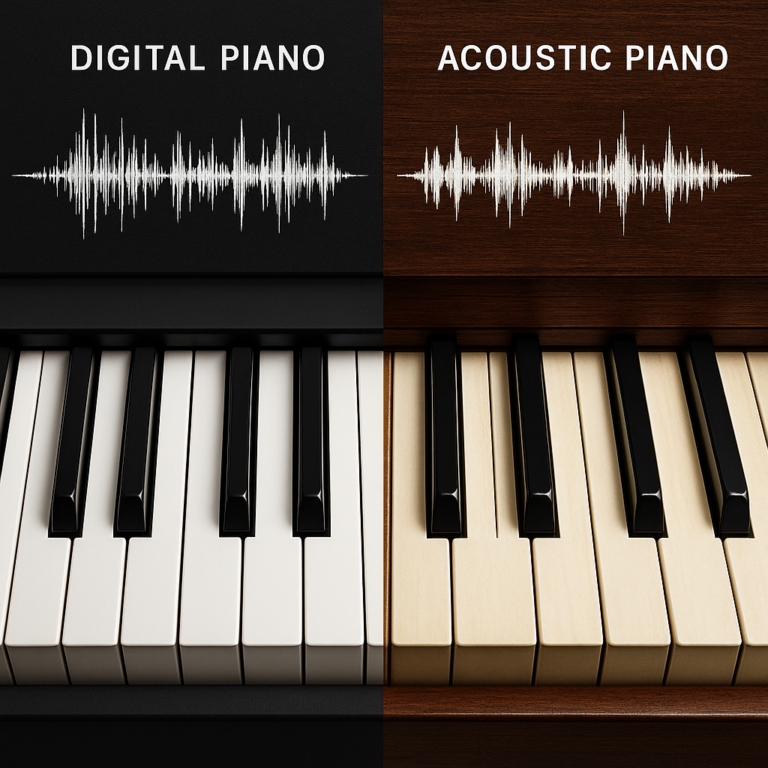
Many digital pianos use sampling: recording notes from acoustic instruments at different pitches and playing levels, then reproducing those recordings when you press a key. Some newer systems add physical modeling, using algorithms to calculate how a piano might behave, including interactions between strings, hammers, and resonance.
These are not mutually exclusive approaches. Brands may combine techniques, and manufacturers describe proprietary sound engines in different ways. For a useful comparison, listen to actual instruments rather than assuming that one technology wins by definition.
The MIDI Association’s overview of MIDI helps clarify another key development: digital pianos can send performance information to other instruments and software, not just produce sound internally. That turns the piano into both an instrument and a controller.
The shift from home keyboards to connected instruments
Connectivity has made the digital piano part of a broader music setup. A compatible instrument can send notes to a tablet app, receive audio from a phone, or connect to recording software. Some models also offer in-app sound editing and practice features.
But “Bluetooth” on a product page can mean different things. Bluetooth audio typically lets you play audio through the piano’s speakers; Bluetooth MIDI sends note and control data to an app or computer. One does not automatically mean the other.
Interaction design matters, too. Carnegie Mellon’s architecture course catalog describes interactive design as involving sensors, actuators, and programmed responses across “light, sound, touch, motion, etc.” That’s a useful lens for thinking about modern instruments, but it is an interaction-design curriculum—not evidence about specific piano features or models. The relevant point is that a piano’s interface includes more than the keys: pedals, screens, apps, speakers, and controls all shape the playing experience.
🧠 1. Piano Sound Engines: Sampling, Modeling, and Beyond
A sound engine is the digital piano’s voice: the system that turns a key press into sound. Piano brands may use different combinations of recordings, algorithms, and effects, so the label on the brochure won’t tell the whole story. Your ears and fingers get the final vote.
High-resolution sampling and velocity layers
A sampled piano begins with recordings of an acoustic piano. Manufacturers may record notes at different volumes, then use those layers to make a soft key press sound different from a forceful one. More sophisticated systems may also include sympathetic resonance, damper noise, pedal behavior, and other details.
Benefits
- Familiar piano tone based on recorded instruments.
- Multiple tonal variations can respond to playing dynamics.
- Often offers several piano characters, from bright concert-grand sounds to warmer, softer voices.
Trade-offs
- A long list of samples or layers does not guarantee expressive results.
- Transitions between dynamic layers can sound abrupt on some instruments.
- The character of the recording—and how it was processed—maters as much as the number of samples.
When testing, play a slow scale from very soft to loud. Listen for a continuous change in tone and volume. If the sound suddenly “jumps” to another character, the instrument may not suit your touch.
Physical modeling and responsive acoustic behavior
A modeled piano sound is generated using calculations that represent aspects of how a piano behaves. Instead of selecting only from recorded notes, the engine can calculate changes in sound in response to playing conditions.
Some manufacturers describe modeling systems that account for factors such as string interaction, resonance, and damper behavior. These features can make repeated notes, pedaling, and changes in touch feel more connected. The details vary by product, and brands do not all use the same terminology.
Benefits
- Potentialy fluid response across playing dynamics.
- Can respond naturally to changes in touch and pedal use.
- May allow deeper adjustment of piano character.
Trade-offs
- “Modeling” is not a guarantee that you’ll prefer the tone.
- Some players find a modeled sound less familiar than a recorded acoustic piano.
- Product descriptions can be hard to compare directly across brands.
Roland describes its Piano Reality Modeling as a technology used in its piano range. Yamaha’s Virtual Resonance Modeling is another example of brand-specific technology. These official pages explain each company’s approach; they are not independent head-to-head tests.
Hybrid sound engines and expanded instrument libraries
Many digital pianos are designed to do more than imitate a grand piano. They may offer electric pianos, organs, strings, synths, and other sounds. Higher-end home and stage models may allow tone shaping, effects, and custom presets.
A hybrid approach may combine recorded piano material with digital processing or modeled elements. Manufacturers do not always publish enough technical detail to make direct comparisons easy, so focus on the result:
- Does the piano sound stay convincing at low and high volumes?
- Does the tone change smoothly with your touch?
- Can you adjust brightness, ambience, or resonance?
- Are the non-piano sounds useful for your music, or simply taking up menu space?
For recommendations across styles and budgets, our Piano Comparison category can help narrow the field.
🎼 2. Keyboard Actions That Feel More Like Acoustic Pianos
The key action is the mechanical system beneath the keys. It influences control, comfort, repetition, and how easily you can shape a phrase. For many players, it matters as much as the sound engine—sometimes more.
Weighted keys, graded hammer action, and escapement
Most full-size digital pianos use weighted keys to approximate the resistance of an acoustic piano. A graded hammer action is typically heavier in the low register and lighter in the high register, echoing the different feel across an acoustic piano keyboard.
Some actions include an escapement or let-off sensation: a subtle change in resistance near the bottom of a key press, associated with grand-piano action. Its feel is not identical across brands, and some players barely notice it. Others find it useful for delicate control.
| Action feature | What it aims to do | Try this at the piano |
|---|---|---|
| Weighted keys | Add resistance compared with synth-action keys | Play quiet notes without pressing too hard |
| Graded weighting | Vary resistance across the keyboard | Compare low-register and high-register scales |
| Escapement sensation | Recreate a subtle change in key resistance | Play soft repeated notes and slow trills |
| Textured key surfaces | Improve grip and tactile orientation | Test with dry and slightly warm hands |
| Counterweights or longer key mechanisms | Support control and a more piano-like feel | Play fast passages and soft chords |
Key sensors, repetition, and nuanced control
Digital pianos detect how quickly and deeply keys move using sensors. Some actions use two sensors; others use three or additional sensing methods. More sensors can support improved repetition without fully releasing a key, but the number of sensors alone does not tell you how an action feels.
Test repeated notes at several speeds. Try a quiet trill, a repeated staccato note, and a fast scale. If the piano misses notes, feels sluggish, or requires an uncomfortable amount of force, keep testing other actions.
A useful real-world check from our showroom sessions: we ask players to repeat one note softly while keeping the motion relaxed. People often arrive focused on the sound; within a minute, their attention shifts to whether their hands feel tense. That’s a clue worth trusting.
Wooden keys, hybrid actions, and new materials
Some premium digital pianos use wooden keys, hybrid wood-and-plastic mechanisms, longer key pivots, or textured synthetic surfaces. These materials can change the feel, durability, and instrument weight.
Potential advantages
- A more substantial, familiar sensation under the fingers.
- Key surfaces designed to reduce slipping.
- Mechanisms that may offer more nuanced control.
Potential drawbacks
- Heavier instruments can be harder to move.
- A wood component does not automatically make an action better.
- Maintenance and replacement parts may be more involved than on a simpler mechanism.
Try the key action before deciding. The material description is interesting; your hands are the review panel.
🎧 3. Spatial Audio, Speakers, and Headphone Innovations
A piano’s sound is not just a tone. It occupies space. Speaker placement, cabinet design, room acoustics, and headphones all influence how the instrument feels to play.
Multi-speaker systems and immersive piano sound
Some digital pianos use multiple speakers positioned to project different parts of the sound across the instrument. The aim is to create a wider, more dimensional experience than a simple pair of speakers can provide.
More speakers are not automatically better. Their value depends on speaker quality, cabinet design, placement, and how well the sound is tuned. Listen from the bench, because that is where you’ll spend most of your time—not standing beside the display like a museum guard.
What to listen for
- Clear bass notes that don’t overwhelm the room.
- Treble notes that remain smooth rather than sharp.
- A sense of space without artificial echo.
- Even volume across the keyboard.
Binaural audio and realistic headphone listening
Headphones are a major advantage of digital pianos: you can practice without sending every scale down the hallway. Some instruments include headphone processing designed to create a more spacious, room-like sound.
Try your own headphones if the shop permits it. Check for comfortable volume, natural bass, and clear treble. A dramatic effect may impress for a minute but become tiring during a long practice session.
For safe listening, the World Health Organization’s guidance on safe listening recommends paying attention to both volume and exposure time. Keep practice levels comfortable, especially when using closed-back headphones.
Room tuning, resonance, and sound projection
Digital pianos can include adjustable ambience, resonance, brightness, and equalization. These settings help compensate for a lively room, a close wall, or a listening position that makes the piano sound too bomy.
A simple tuning routine:
- Place the piano where it will normally be used.
- Set the volume to a realistic practice level.
- Choose a natural piano voice before adding effects.
- Adjust brightness or equalization in small steps.
- Test with headphones as well as speakers.
- Save a preferred setting if the piano allows custom presets.
The key is restraint. If every note arrives wrapped in a giant concert-hall tail, it can be hard to hear your own phrasing.
📱 4. Smart Connectivity, Apps, and Digital Music Tools
Connectivity lets a digital piano exchange notes, sound, and controls with other devices. That can open up lessons, recording, composition, and performance—but only if you know which connection does what.
Bluetooth MIDI, Bluetooth audio, USB, and Wi-Fi
| Connection | Common purpose | Important check |
|---|---|---|
| Bluetooth MIDI | Sends note and control data to compatible apps | Confirm app and device compatibility |
| Bluetooth audio | Streams music from a phone or tablet through the piano | Check whether the piano supports audio, not MIDI only |
| USB MIDI | Connects to computers, tablets, or music software | Check whether an adapter is needed |
| USB audio | Sends or receives digital sound | Confirm input/output direction and supported formats |
| Traditional MIDI ports | Connects to older and professional gear | Useful for studios and stage setups |
| Wi-Fi | May support app connection or network features | Availability and functions vary by model |
The MIDI Association explains MIDI as a system for musical performance and control data. In plain language: MIDI tells another device what notes you played; it is not the same thing as sending a recording of the piano’s sound.
Companion apps, presets, and remote control
Brand apps may let you choose voices, adjust settings, access lessons, or manage songs from a phone or tablet. Some instruments are easier to configure through an app than through a small built-in display.
Before buying, check:
- Is the app compatible with your phone or tablet?
- Does it work over Bluetooth, USB, or both?
- Are essential settings available directly on the instrument?
- Does the app require an account or an internet connection?
- Are its features maintained and updated?
A piano that depends heavily on an app can be frustrating if the app is discontinued or your device becomes incompatible. We like apps as useful companions, not as the only key to the instrument.
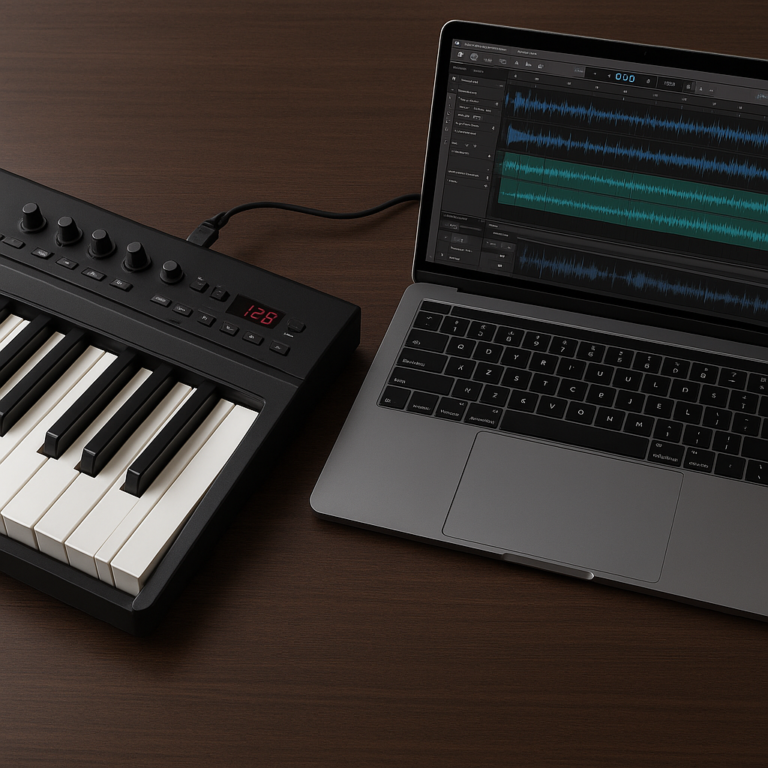
Recording, looping, and music production
Many digital pianos record performances internally, export MIDI, or connect to software. Some stage instruments add layers, splits, effects, and performance controls for live work.
A basic home-recording workflow:
- Connect the piano to a computer or compatible tablet.
- Choose MIDI if you want to edit notes later.
- Choose USB audio or an audio interface if you want to capture the sound itself.
- Record a short test passage.
- Check timing, levels, and latency before recording a full take.
- Save a backup of your project and any custom piano settings.
For recording and editing, software such as Steinberg Cubase and Apple Logic Pro can work with MIDI-capable instruments. Compatibility depends on the device, operating system, and connection setup.
🎓 5. Learning Features That Change How We Practice
Digital pianos can support practice with metronomes, lesson songs, split-keyboard modes, recording, and app integration. These tools can make practice more engaging, but they do not replace the listening, repetition, and feedback that build dependable technique.
Guided lessons, visual feedback, and practice modes
Some models provide lesson modes that divide the keyboard, slow down playback, or wait for the player to perform a passage. Apps may display notes, rhythm, or progress.
Useful features include:
- Metronome: supports steady rhythm and controlled tempo increases.
- Lesson mode: lets teacher and student use matching keyboard ranges.
- Recording: helps you hear your timing and dynamics objectively.
- Section practice: repeats difficult passages rather than forcing a full restart.
- Tempo control: makes challenging pieces manageable in stages.
A feature is only helpful if you actually use it. A built-in lesson library that never leaves its menu is about as useful as a metronome set to “aspirational.”
Sheet music, scores, and synchronized playback
Some apps display sheet music or provide accompaniment and score-following tools. These can help you connect written notation to the keyboard, especially when you’re learning a new piece.
However, automatic note detection can be thrown off by overlapping notes, pedal use, or room noise. Treat on-screen feedback as guidance rather than a perfect judge. A teacher can spot posture, tension, and musical phrasing in ways that a screen may miss.
For trusted music-learning resources, look for established publishers and education services such as ABRSM and Yamaha Music Education. Their materials serve different programs and learners, so review the course approach before committing.
AI-assisted practice and the role of human teachers
Music software increasingly uses automated feedback to identify played notes, timing, or practice patterns. These tools can offer structure and help you notice repeated mistakes. Their usefulness depends on how accurately they interpret your playing and whether their feedback is clear.
AI can help with
- Repeating a passage at a slower tempo.
- Tracking note accuracy or practice time.
- Suggesting exercises based on a lesson plan.
- Supporting independent practice between lessons.
A teacher remains valuable for
- Hand position, posture, and tension.
- Tone production and musical expression.
- Choosing repertoire suited to your progress.
- Explaining why a passage feels difficult, not merely marking it wrong.
We’ve seen students light up when an app turns practice into a game, then make their biggest musical leap after a teacher helps them shape a phrase. The technology can get you to the bench; a good teacher can help you understand what you’re hearing there.
🎹 6. Performance Features for Stage and Studio
A modern digital piano can function as a stage instrument, a recording controller, or the center of a compact home studio. Performance-focused features are useful to players who need quick access to sounds and predictable setup.
MIDI control, splits, layers, and performance zones
- Split: assigns different sounds to different keyboard ranges.
- Layer: combines sounds, such as piano and strings.
- MIDI control: sends performance data to external instruments or software.
- Zones: divide the keyboard into multiple areas for complex setups.
- Transposition: shifts pitch without changing the physical fingering.
For live use, test whether you can switch settings quickly. A feature buried several menus deep may be technically present and practically absent when you’re onstage.
Live sound customization and effects
Stage pianos may offer equalization, reverb, chorus, compression, and other effects. They can help a sound fit a band mix, but an effect that sounds rich alone may crowd the mix.
A practical soundcheck sequence:
- Start with a clear piano preset.
- Set the stage volume at performance level.
- Adjust equalization to suit the room and band.
- Add effects sparingly.
- Check the sound through the actual amplification system.
- Save a dependable backup preset.
Portable stage pianos and professional workflows
Stage pianos often prioritize transport, fast controls, durable construction, and connections for amplification and MIDI gear. They may omit built-in speakers or a traditional cabinet to reduce bulk.
Examples include the Nord Piano line and stage-oriented models from Roland and Yamaha. These product families change over time, so compare current specifications and test the model you intend to use.
♿ 7. Accessibility, Ergonomics, and Inclusive Design
A well-designed instrument should suit the player, not make the player adapt to a maze of menus or an uncomfortable setup. Accessibility covers physical comfort, interface clarity, connection options, and the ability to adjust how the instrument responds.
Custom controls and adaptable interfaces
Look for controls that are easy to read and reach. Clear labels, large buttons, shortcut controls, and app-based configuration can make the piano more accessible to players with different needs.
Possible considerations:
- Can you change settings without navigating a tiny screen?
- Are essential controls visible and logically arranged?
- Can you adjust touch sensitivity?
- Is the instrument comfortable at your preferred bench height?
- Are pedals and accessories compatible with your playing setup?
Quiet practice and assistive technology
Headphone practice can help reduce sound in shared homes, but it does not solve every accessibility concern. Players may use different headphones, adaptive switches, external controllers, or software depending on their needs. Check manufacturer support and connection options before purchasing.
For ergonomics, use a stable bench and a position that allows relaxed shoulders and wrists. The National Association of Schools of Music provides broader information about music study and educational standards, while individual teachers and clinicians can offer personalized advice for specific physical needs.
🌱 8. Sustainable Materials, Repairability, and Long-Term Value
Digital pianos use electronics, plastics, metal, and sometimes wood. Their environmental footprint is affected by manufacturing, transport, energy use, repairability, and how long the instrument remains in service.
When comparing models, ask about:
- Warranty coverage and service availability.
- Replacement parts for keys, pedals, and power supplies.
- Firmware and app support.
- Whether the instrument can be repaired locally.
- Packaging and materials information from the manufacturer.
A feature-rich piano is not automatically a better long-term choice. If it relies on an unsupported app or a hard-to-source component, the instrument may become less useful sooner than a simpler, serviceable model. For broader context on electronic product life cycles, the United Nations Environment Programme’s electronics resources discuss circularity and responsible electronics management.
🏷️ 9. Digital Piano Brands and Their Signature Innovations
Brands often use different names for similar ideas, and similar names for different implementations. Treat each company’s technical descriptions as a starting point, then compare the playing experience directly.
Yamaha, Roland, Kawai, and Casio
| Brand | Areas to explore | What to compare in person |
|---|---|---|
| Yamaha | Acoustic-piano heritage, home and stage instruments, resonance features | Tone character, action feel, app compatibility |
| Roland | Digital piano sound technologies, home and performance models | Modeling response, speaker presentation, controls |
| Kawai | Piano-focused actions and home digital models | Key texture, repetition, touch sensitivity |
| Casio | Compact, portable, and home digital pianos | Action comfort, connectivity, size and portability |
Official product information is available from Yamaha, Roland, Kawai, and Casio.
No brand is the universal winner. A player who loves a bright tone and light action may choose differently from someone who wants a substantial key feel and warmer sound.
Korg, Nord, Dexibell, and other innovators
Korg offers digital pianos and stage instruments aimed at home, studio, and performance use. Nord is well known for stage keyboards and performance-oriented workflows. Dexibell develops digital pianos, organs, and performance keyboards.
Compare these brands by intended use:
- Home practice: built-in speakers, furniture design, lesson support.
- Stage performance: portability, direct controls, outputs, sound switching.
- Studio work: MIDI, audio connectivity, software compatibility.
- Classical repertoire: key action, pedal response, expressive dynamics.
Our Piano Brand Guides cover brand-specific differences, while the Piano Comparison section helps you compare instruments by use case.
🔍 10. How to Choose a Digital Piano With the Right Technology
The best technology is the kind that supports your hands, ears, and routine. Start with how you’ll play, then decide which features deserve space on your shortlist.
Features beginners should prioritize
For a first serious instrument, we recommend focusing on:
- 88 full-size keys, if you plan to study piano repertoire.
- Weighted action with a comfortable touch response.
- A dependable sustain pedal, ideally with half-pedal support if the model offers it.
- Built-in speakers suitable for your room.
- Headphone output for quiet practice.
- USB MIDI or a compatible wireless connection if you plan to use apps.
- A clear, simple interface so practice doesn’t become a settings hunt.
A beginner does not need every sound and effect. A reliable piano voice, comfortable action, and regular practice will take you further than 400 presets called “Celestial Glass Pad.”
What advanced players and performers need
More experienced players may prioritize:
- Detailed action response and fast repetition.
- Flexible pedal behavior and resonance control.
- Customizable sound and effects.
- MIDI and USB audio connectivity.
- Split, layer, and zone options.
- Reliable stage outputs and preset recall.
- A sturdy stand, case, or transport setup.
If you work across classical, jazz, pop, or production settings, make a checklist for each. The ideal home instrument may not be the best instrument to carry to rehearsals.
Questions to ask before you buy
- Does the key action feel comfortable after ten minutes?
- Can I play quietly with good control?
- Does the piano’s tone suit the music I actually play?
- Do the speakers sound balanced in my room?
- Does Bluetooth mean MIDI, audio, or both?
- Will my phone, tablet, or computer work with the piano?
- Are the pedals and stand included or optional?
- Can the instrument be serviced if a key or connection fails?
- Can I access core features without an app?
- Will I still enjoy practicing on it after the novelty fades?
For more help, visit our Piano Buying Guide and Digital Pianos resources.
🧪 How to Test New Digital Piano Features
A structured test prevents the showroom’s loudest preset from making the decision for you.
A step-by-step audition
- Play a soft scale. Check whether you can control quiet notes evenly.
- Play the same passage loudly. Listen for a convincing change in tone and volume.
- Repeat notes quickly. Test repetition and key return.
- Use the sustain pedal. Listen for smooth transitions and clear note decay.
- Try a chord across the keyboard. Check whether bass and treble remain balanced.
- Test speakers from the bench. Listen at a realistic volume.
- Plug in headphones. Check comfort, clarity, and noise.
- Connect an app or device. Confirm the connection works as advertised.
- Record a short passage. Check whether recording and playback are straightforward.
- Return to the piano sound you liked first. Make sure the instrument still feels good after the feature tour.
Bring a piece you know well. Familiar music reveals response and tone more clearly than a showroom demo designed to show off every effect in one heroic 12 seconds.
🔮 The Future of Digital Piano Design
Digital pianos are likely to keep developing in several directions: more responsive sound engines, more adaptable key actions, better headphone experiences, and smoother connections to learning and production tools.
The broader design trend is toward instruments that respond to people and context rather than simply offering more buttons. The Carnegie Mellon course catalog’s description of interactive objects using “light, sound, touch, motion, etc.” is about design education—not piano technology—but it captures an idea relevant to musical instruments: interaction is part of the instrument’s behavior.
For digital pianos, that might mean:
- Touch and pedal response that more closely follows playing nuance.
- Apps that make practice tools easier to use.
- Better integration with notation and recording software.
- More flexible control layouts.
- Improved sound projection for both home listening and performance.
The challenge is keeping those innovations musical. A piano can offer a hundred options, but the best one may still be the instrument that makes you forget the menu and listen to the next note.